OneCLI connects AI agents to Outlook Mail through Microsoft’s OAuth flow. Agents can read your inbox, send emails, manage folders, and search messages. The gateway injects OAuth credentials into requests to the Microsoft Graph API automatically.This is useful for agents working in Microsoft 365 environments that need to process emails, send notifications, or automate inbox management.
Skip this section on OneCLI Cloud. It’s only for self-hosted OneCLI without MICROSOFT_CLIENT_ID and MICROSOFT_CLIENT_SECRET set. One Microsoft app serves Outlook Mail, Outlook Calendar, Microsoft Word, and Microsoft OneNote, so you set it up once.
1. Register the app
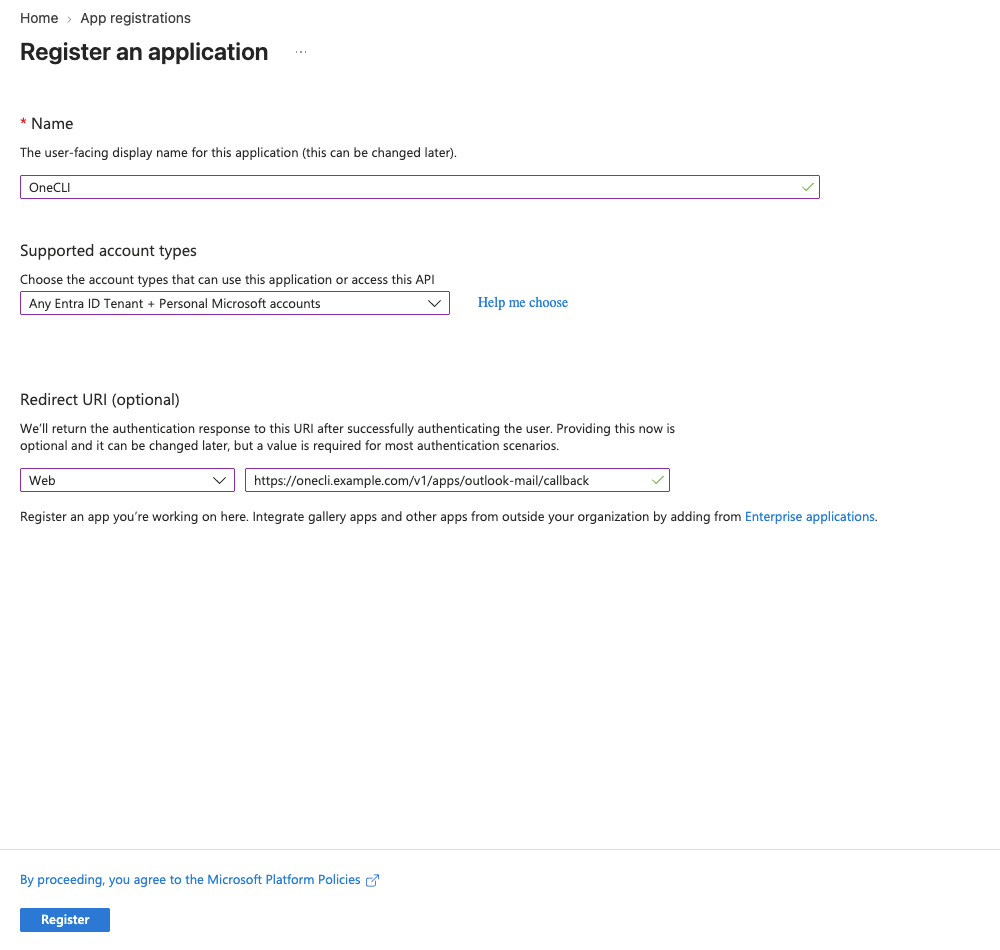
In the Microsoft Entra admin center, open Entra ID > App registrations > New registration. Name it OneCLI and, under Supported account types, choose Any Entra ID Tenant + Personal Microsoft accounts.
2. Add the redirect URI
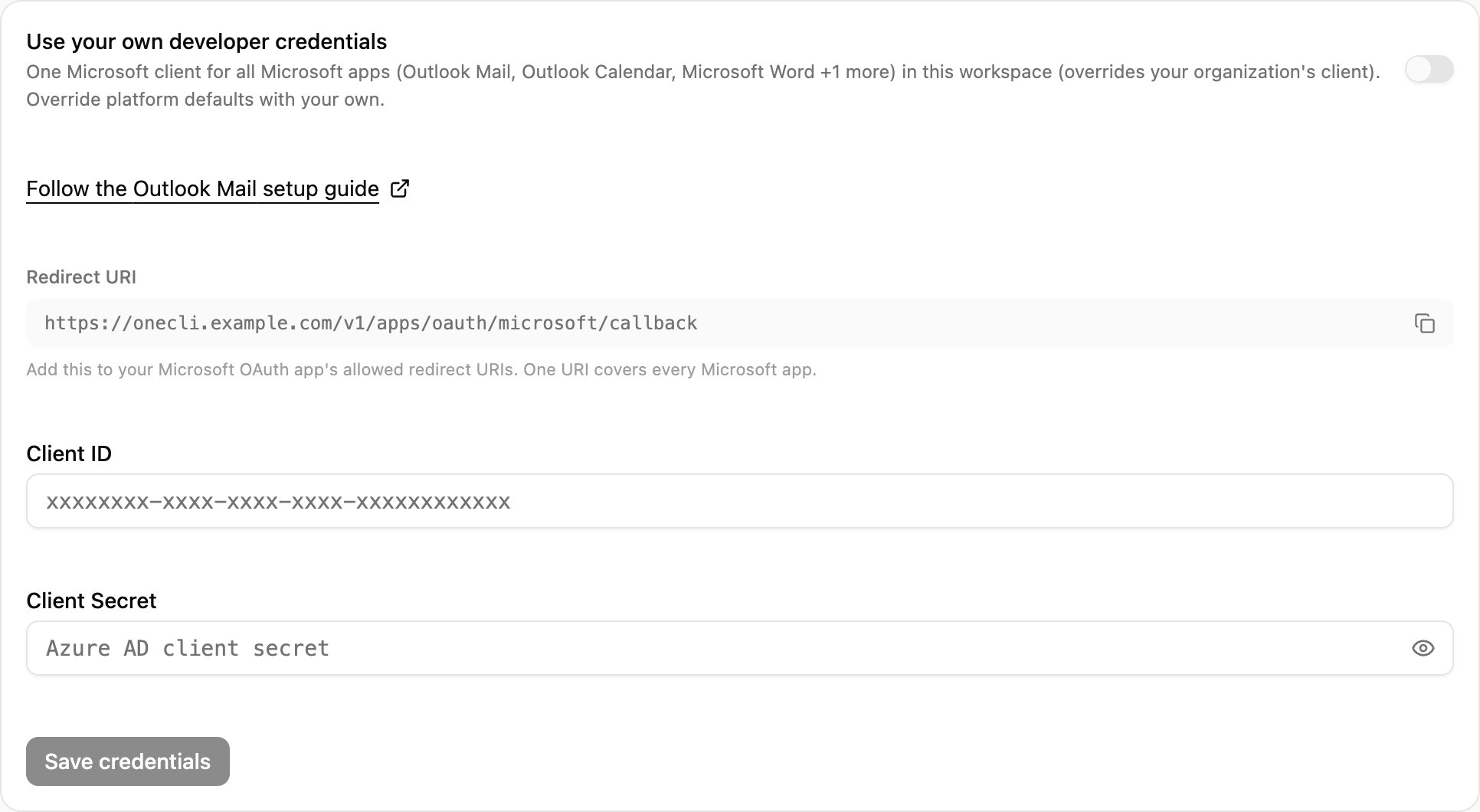
In OneCLI, open Connections > Outlook Mail > Custom credentials and copy the Redirect URI. In the registration form, set the platform to Web, paste the URI, and select Register.
The registration form: account type and the Web redirect URI.
Copy the Redirect URI from Custom credentials in OneCLI.
3. Add the API permissions
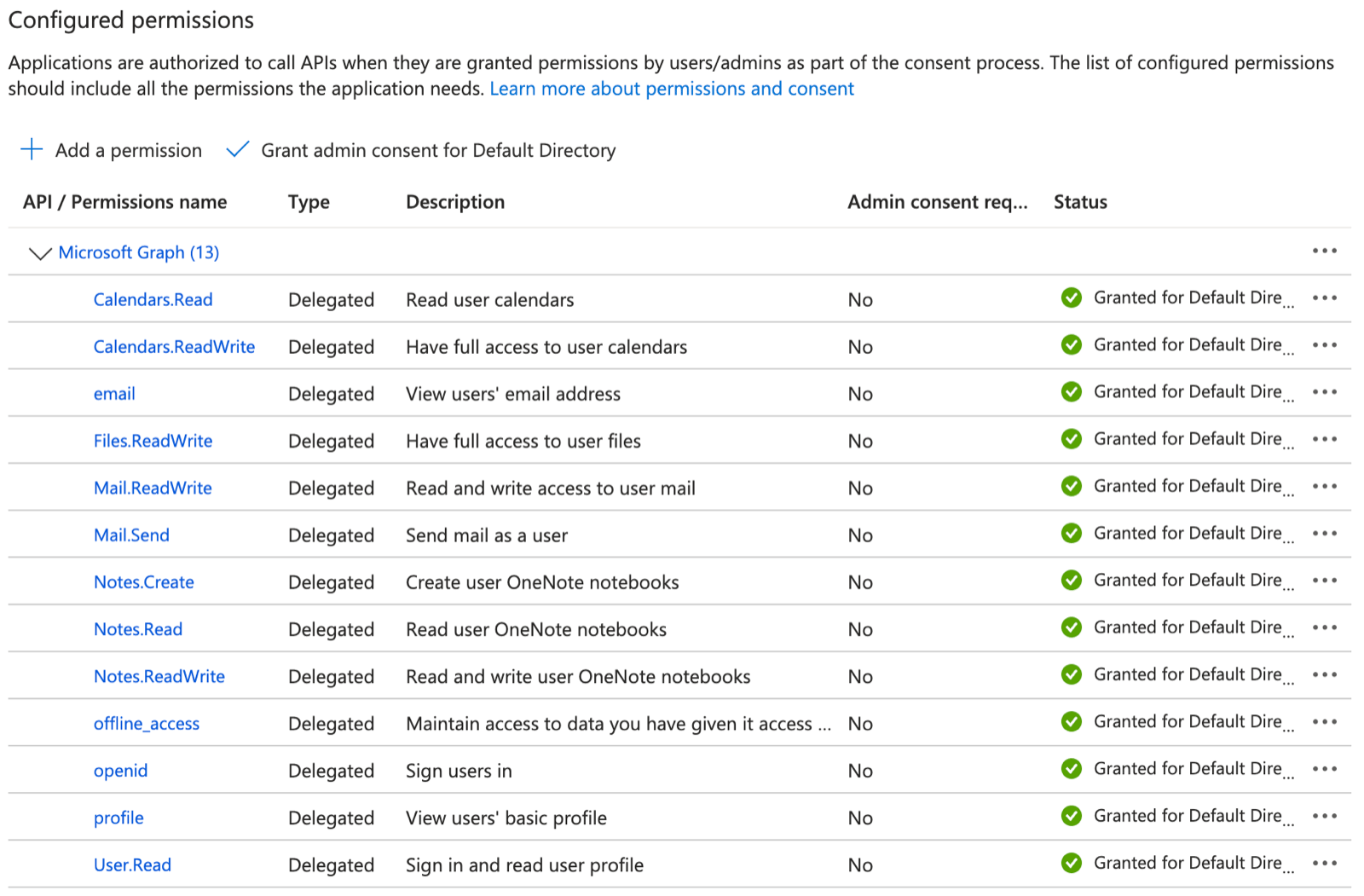
Open API permissions > Add a permission > Microsoft Graph > Delegated permissions and add:
App
Permissions
All
User.Read, offline_access
Outlook Mail
Mail.ReadWrite, Mail.Send
Outlook Calendar
Calendars.ReadWrite
Microsoft Word
Files.ReadWrite
Microsoft OneNote
Notes.Read, Notes.ReadWrite, Notes.Create
API permissions after adding the Microsoft Graph delegated permissions. Extra ones such as openid and email are harmless.
4. Connect with your app
Copy the Application (client) ID from Overview. Open Certificates & secrets > New client secret and copy its Value (shown once). Paste both into Connections > Outlook Mail > Custom credentials, select Save & Connect, and accept in Microsoft.
Access is per agent: grant the connection to each agent that needs it, choosing per tool what runs freely, what needs human approval, and what stays blocked — a read-only agent is a single grant. Organization rules add guardrails on top, like rate limits and blanket blocks. Everything is checked before credential injection, so a blocked request never reaches Microsoft Graph.