Use your Claude plan with a claude setup-token token (sk-ant-oat), or a Console API key (sk-ant-api). Agents call Claude without seeing the credential.
OneCLI injects your Anthropic credential into requests to api.anthropic.com automatically. Agents make standard requests to the Anthropic API; the gateway adds the credential before forwarding.This lets agents use Claude models (Claude Opus, Sonnet, Haiku) without ever seeing or handling your credential directly. For routing to Claude via Google Cloud instead, see Vertex AI. For a comparison of supported LLM providers, see LLM Providers.
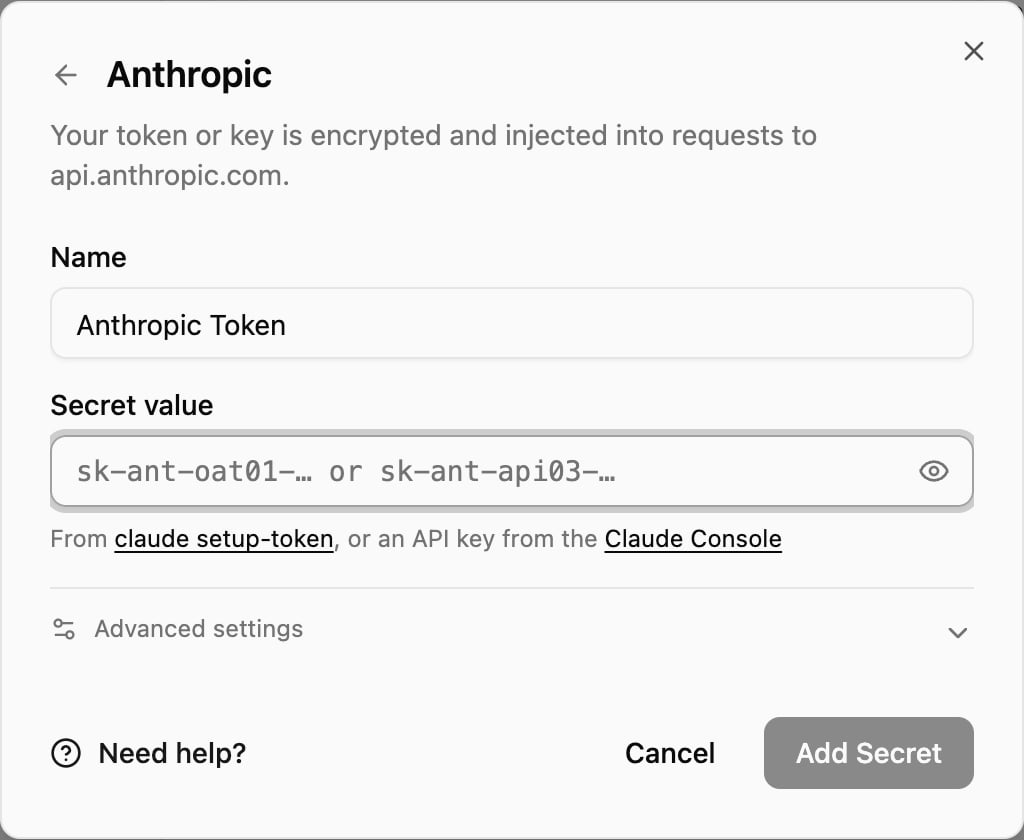
In the OneCLI dashboard, open your agent’s Models page, click Add LLM key, and choose Anthropic. Paste your token or key into Secret value and click Add Secret. Need help? in the window opens this page.
Use this if you pay for a Claude plan. Usage counts against your plan instead of API billing. The free Claude plan doesn’t include Claude Code, so it can’t create a token.
1
Open a terminal
macOS: press Cmd + Space, type Terminal, and press Enter.
Windows: press the Windows key, type PowerShell, and press Enter.
Linux: open your terminal app (often Ctrl + Alt + T).
2
Install Claude Code
Paste the command for your system and press Enter. It shows no progress while it downloads, so give it a minute.macOS, Linux, or WSL:
curl -fsSL https://claude.ai/install.sh | bash
Windows PowerShell:
irm https://claude.ai/install.ps1 | iex
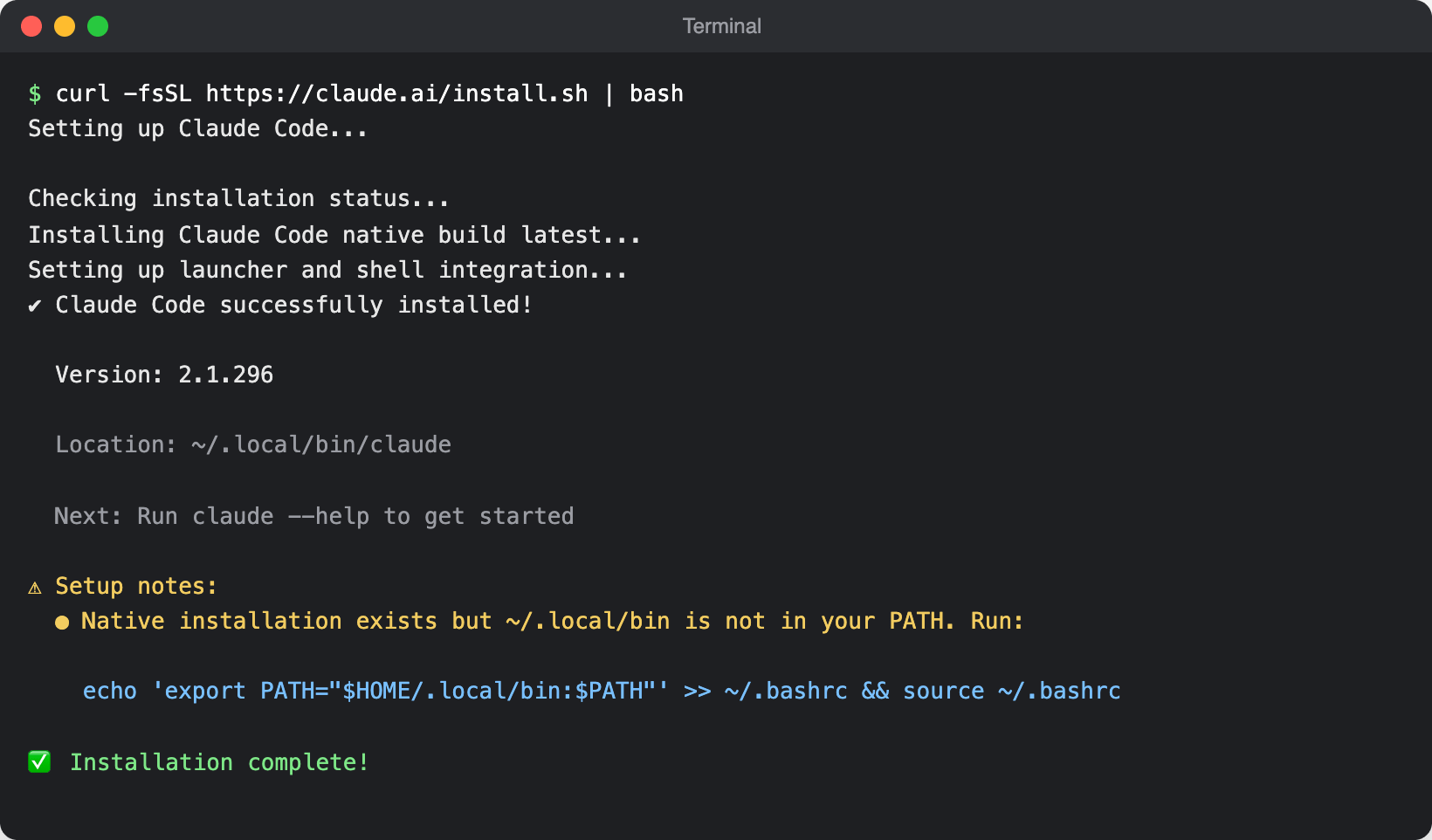
When it finishes you’ll see Installation complete!. If it also shows Setup notes saying ~/.local/bin is not in your PATH, do the next step.
The installer finished. The Setup notes mean the claude command isn't on your PATH yet.
3
Make sure the claude command works
Open a new terminal window, then run:
claude --version
If you see a version number, such as 2.1.296 (Claude Code), skip to the next step. If you see command not found or not recognized, add the install folder to your PATH once, for your shell:macOS (zsh, the default):
If they come back in every new terminal, delete the matching export lines from ~/.zshrc or ~/.bashrc. On Windows, remove them under Edit the system environment variables > Environment Variables.
4
Generate the token
Run:
claude setup-token
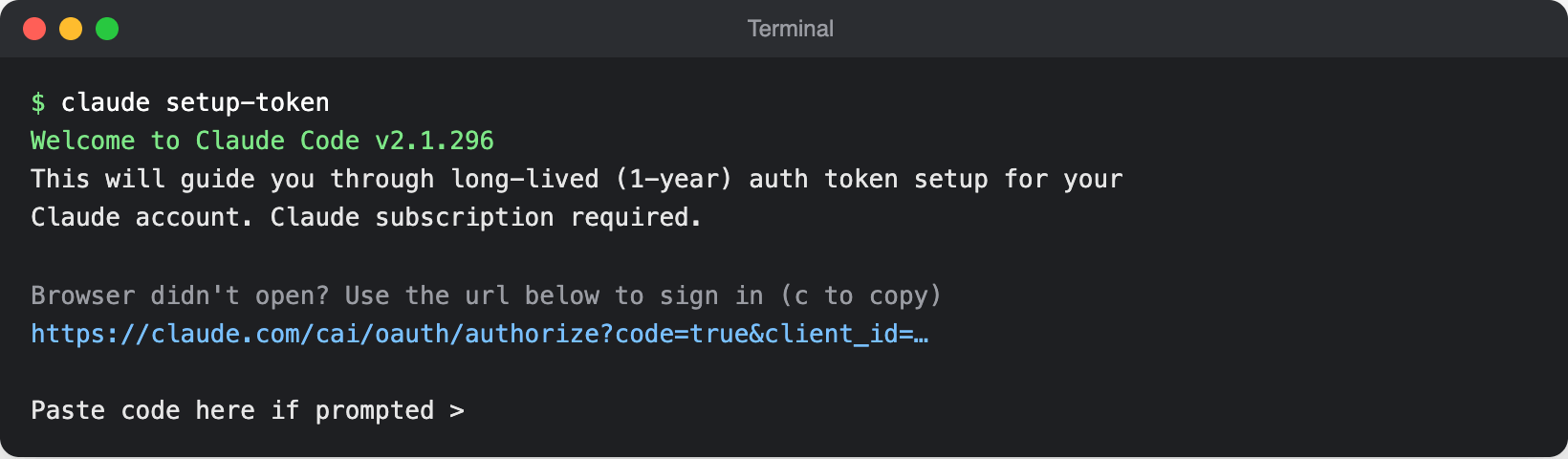
A browser window opens. Sign in to the Claude account that has your plan and approve. If the browser doesn’t open, copy the link the terminal shows into your browser, and paste the code it gives you back into the terminal.
claude setup-token asks you to sign in with your Claude account.
When you approve, the terminal prints a long token that starts with sk-ant-oat. Copy all of it. The token is valid for one year.
Treat this token like a password. Anyone who has it can use your Claude plan. Don’t paste it into chats, tickets, or code.
5
Paste it into OneCLI
Paste the token into the Anthropic window as described in Where to paste it.
Use this if you pay for API usage in the Claude Console. You don’t need a terminal.
1
Create an API key
Open Claude Console API keys and sign in. Click Create Key, name it OneCLI, and copy the key. It starts with sk-ant-api or sk-ant-usr and is shown only once.Your Console organization needs billing set up (credits or a payment method), or requests are refused.
2
Paste it into OneCLI
Paste the key into the Anthropic window as described in Where to paste it.
claude setup-token says a subscription is required
Your Claude account is on the free plan, which doesn’t include Claude Code. Upgrade to Pro, Max, Team, or Enterprise, or use Option 2 with an API key.
OneCLI says the value looks wrong or has spaces
Copy the whole value again, with no spaces or line breaks. Tokens copied from a narrow terminal window can wrap onto a second line; paste the token into a text editor first to make sure it’s on one line.
The key shows a warning on the Models page
Key rejected means Anthropic refused the key when an agent used it: it was revoked, or the subscription token expired. Billing issue or Rate limited means the plan’s usage limit was reached or the Console account has no credits. Fix it in the Claude Console, or generate a new token and update the key with the pencil icon.
Access is per agent: attach the key to each agent that needs it. An agent without the grant can’t use it at all. Organization rules add guardrails on top: rate-limit requests, restrict agents to specific models by blocking certain paths, or flag high-cost operations for manual approval. Everything is checked before credential injection, so a blocked request never reaches Anthropic.