OneCLI connects AI agents to Monday.com through OAuth. Agents can read and manage boards, items, documents, workspaces, and more. The gateway injects OAuth credentials into requests to the Monday.com API automatically.OneCLI is an official app on the Monday.com marketplace. You connect through the OneCLI app, so you never create your own Monday.com developer app or copy API keys.
Monday.com only lets an account use an app after an account admin has installed it. You install OneCLI once per Monday.com account. After that, everyone in the account can connect.
You’re a Monday.com admin: you don’t need to do anything first. When you click Connect Monday.com, Monday.com asks you to install OneCLI, then brings you straight back to authorize it.
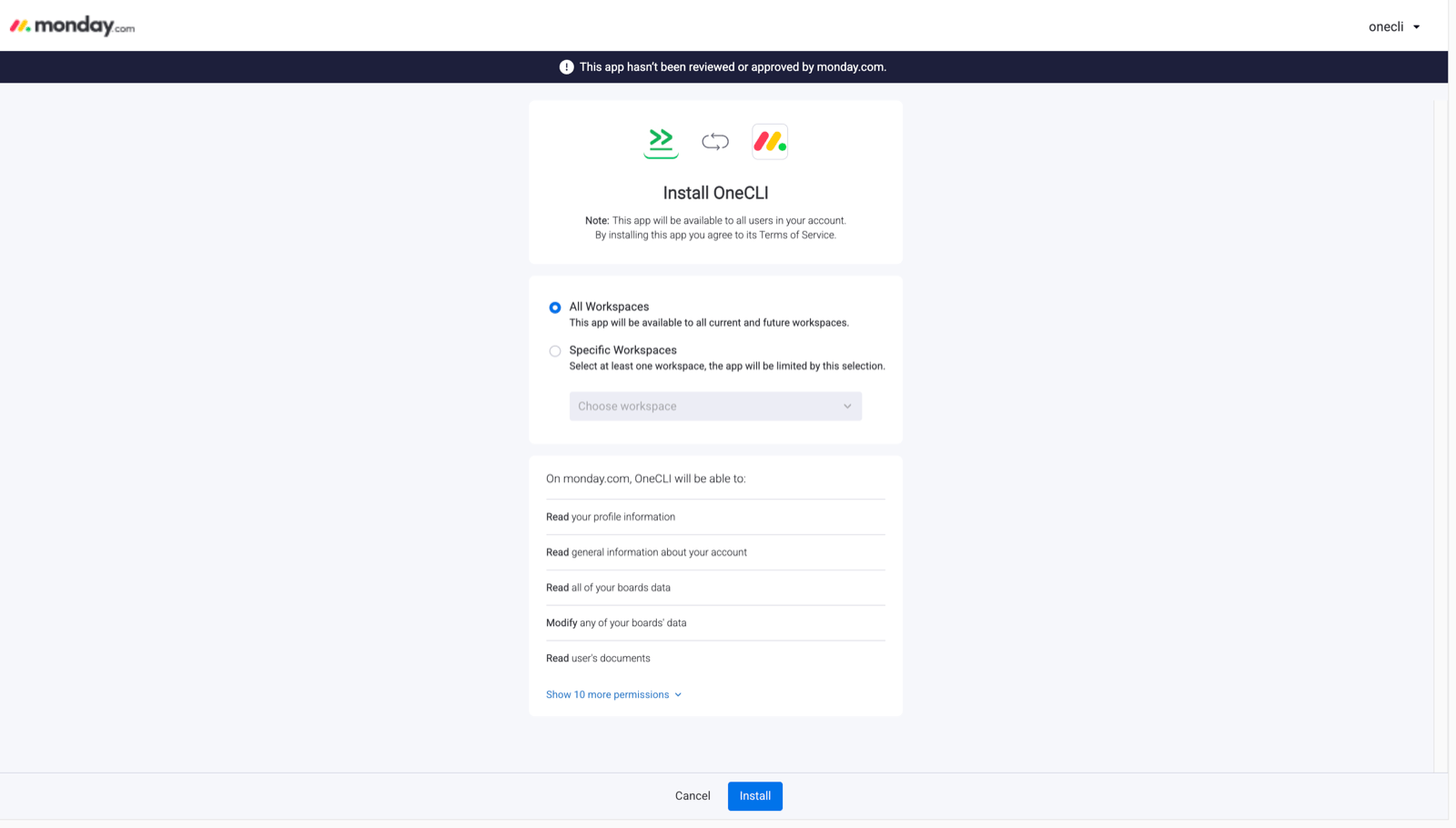
When you install OneCLI, Monday.com asks which workspaces to install it on. Choose all workspaces, or every workspace your agents need to work in. OneCLI can only reach boards and docs in the workspaces you select here. You can change this later in Monday.com under Administration > Apps.
Not sure if you’re an admin? In Monday.com, click your profile picture in the top right. If you see Administration in the menu, you’re an admin.
Open the OneCLI dashboard and navigate to Connections > Monday.com.
2
Authorize
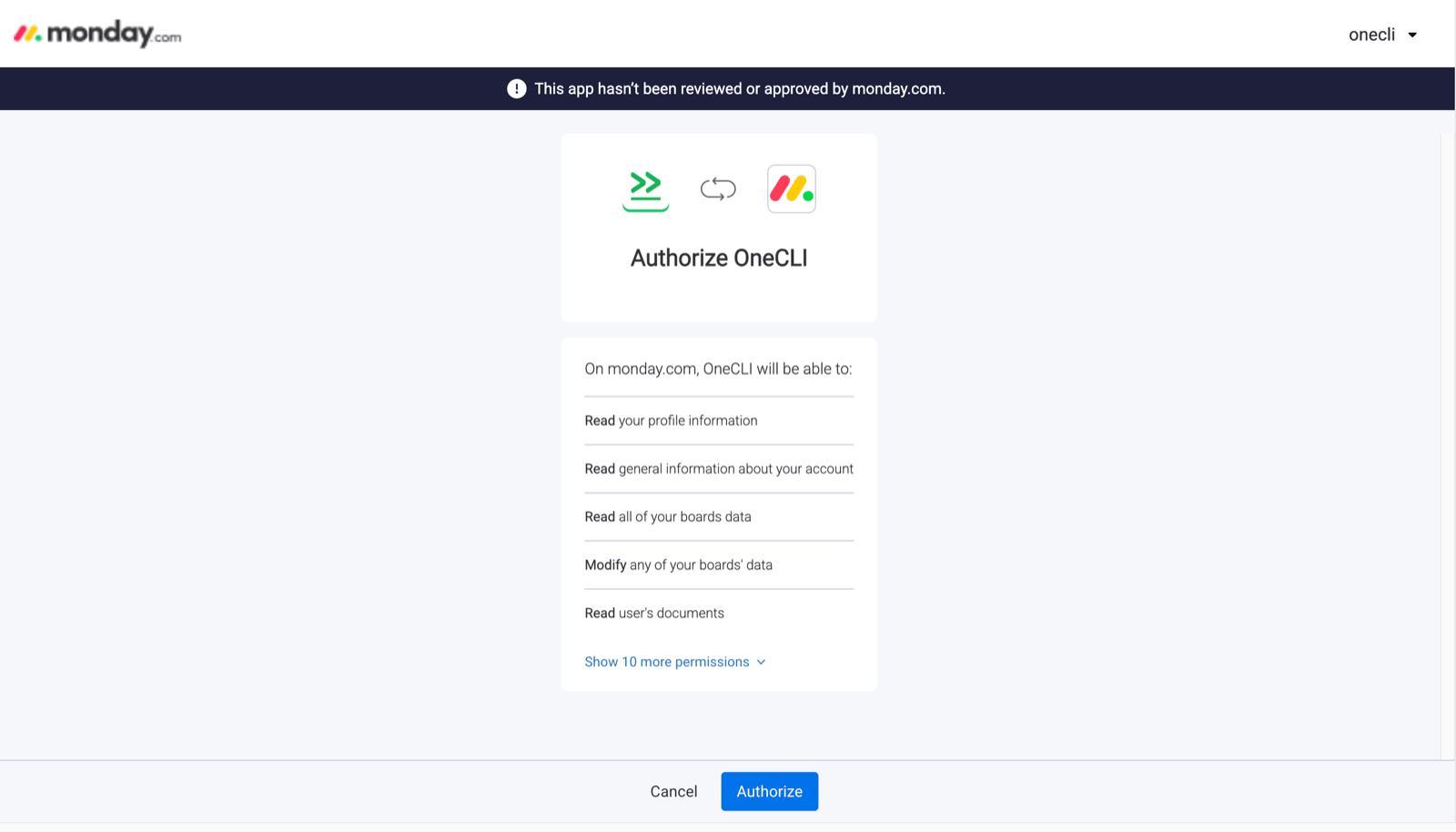
Click Connect Monday.com. You’ll be redirected to Monday.com. If OneCLI isn’t installed in your account yet, an admin sees the install screen first. When Monday.com asks which workspaces to install OneCLI on, select all workspaces (or every workspace your agents need). Review the requested permissions and click Authorize.
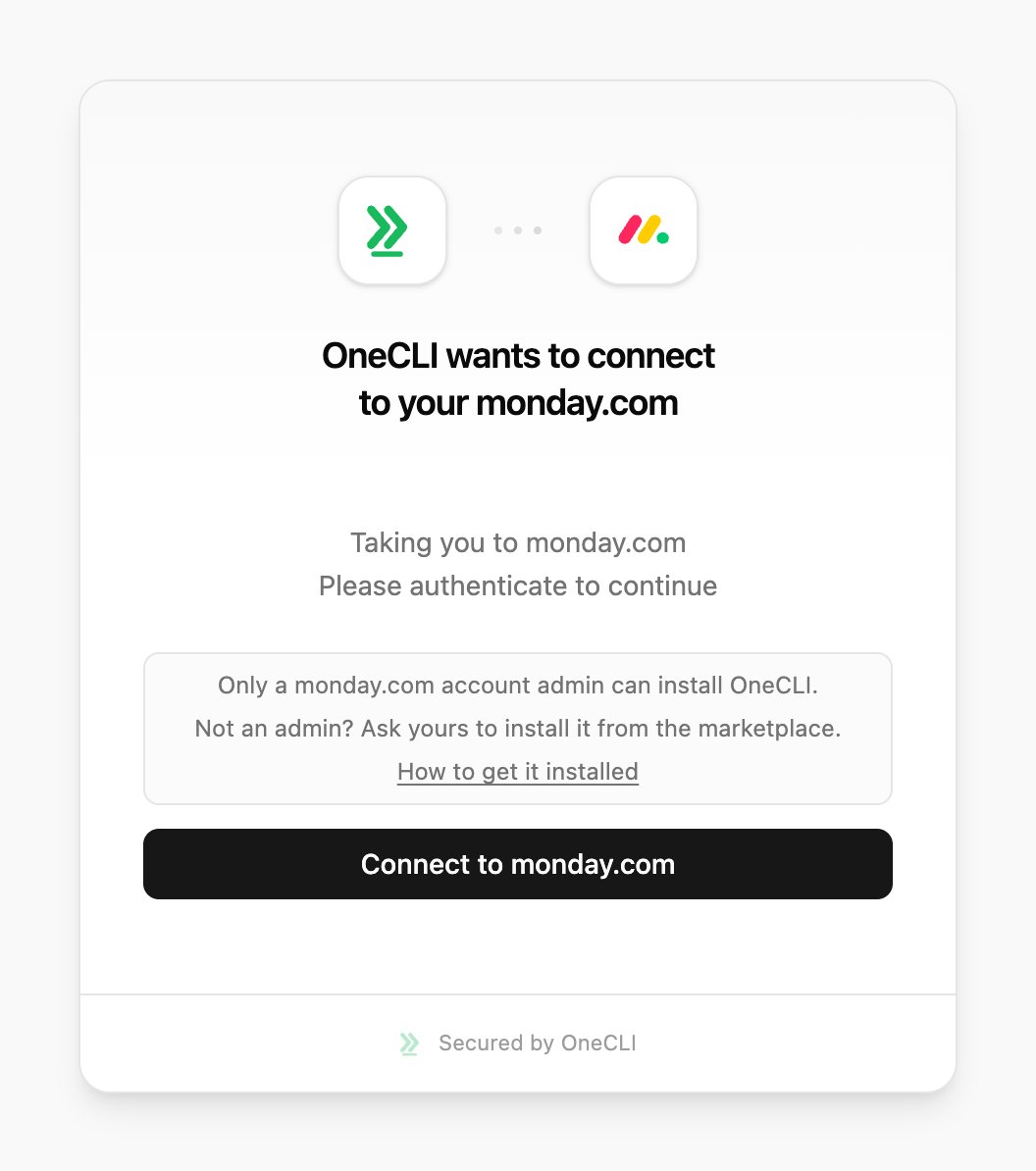
The Monday.com connect window in OneCLI.
If OneCLI isn't installed yet, Monday.com shows its install screen first. Keep All Workspaces selected, or pick every workspace your agents need.
Monday.com asks you to authorize OneCLI and lists the permissions it requests.
3
Verify
After authorization, you’ll be redirected back to the dashboard. The connection will show as Connected with your Monday.com account email.
If OneCLI isn’t installed in your Monday.com account, Monday.com shows App is not installed and the Authorize button is disabled. You can’t install it yourself, but you can ask your admin to do it in a few clicks.
1
Ask your admin to install OneCLI
Send your Monday.com admin this install link:Install OneCLI in Monday.comYour admin opens it, chooses your account, selects all workspaces (or every workspace your agents need), and clicks Install. OneCLI only needs to be installed once per account.You can also request it yourself from the Monday.com marketplace. Open the OneCLI app page and click Request to add. Every admin on your account gets the request by email and as a notification.
2
Connect
Once your admin has installed OneCLI, go back to Connections > Monday.com in OneCLI and click Connect Monday.com. The Authorize button now works.
On Monday.com Enterprise, admins can let non-admins install apps through a custom role with Access the Apps admin section turned on.
Skip this section on OneCLI Cloud. It’s only for self-hosted OneCLI without MONDAY_CLIENT_ID and MONDAY_CLIENT_SECRET set, or if you want your own company name on monday.com’s install screen.
1. Create the monday.com app
In monday.com, open your avatar > Developers, then select Build app. Name it and save.
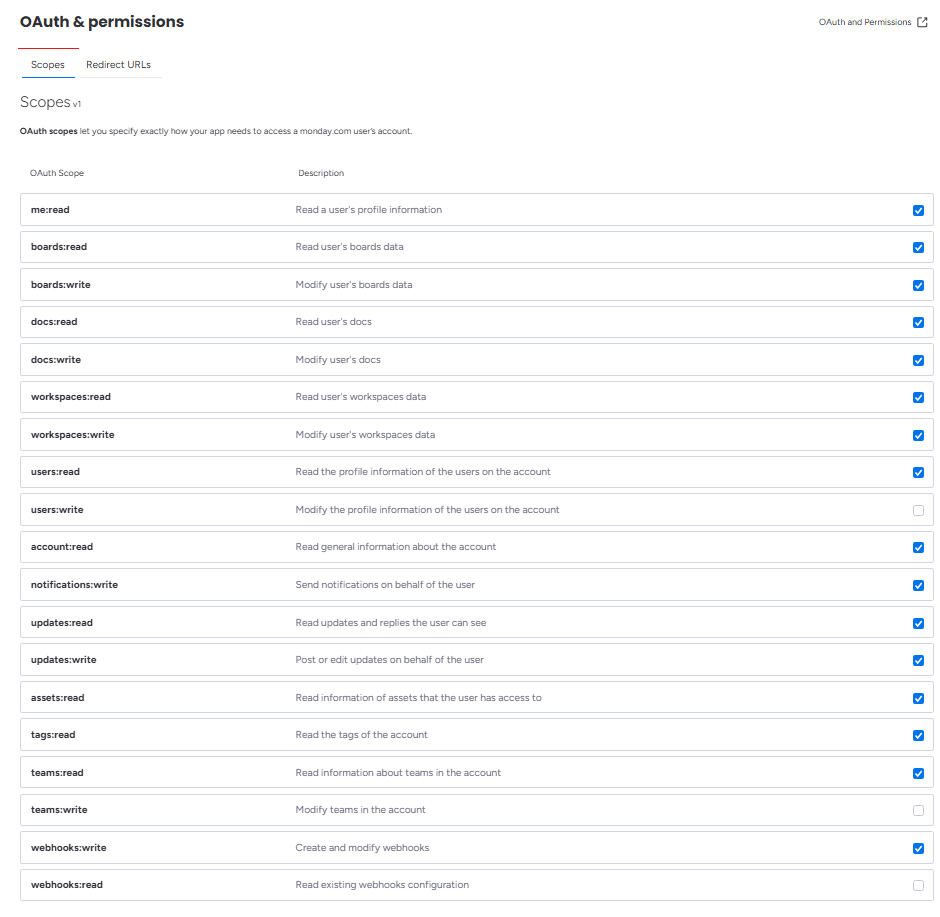
The Scopes tab of your monday.com app with OneCLI's scopes ticked.
3. Add the redirect URL
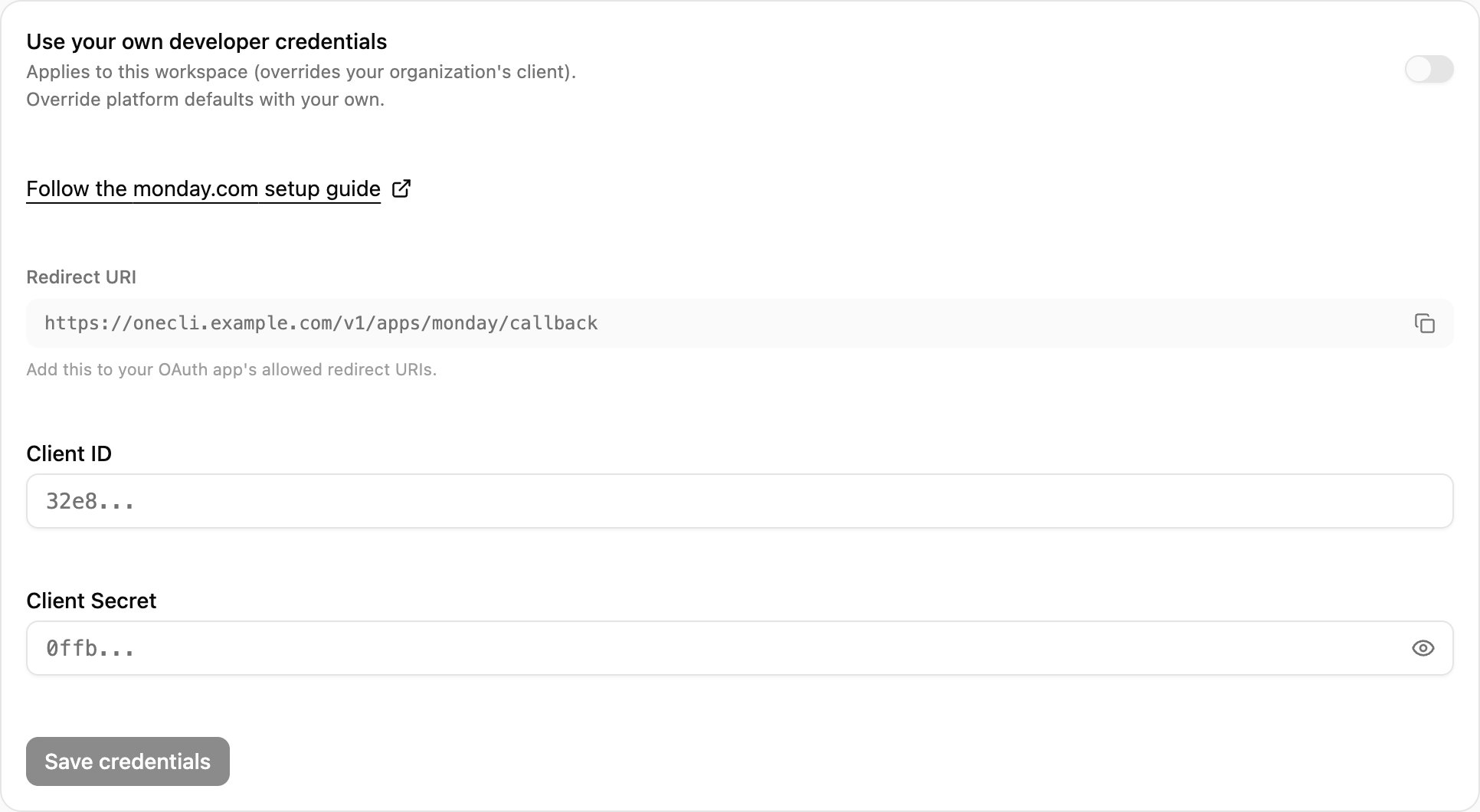
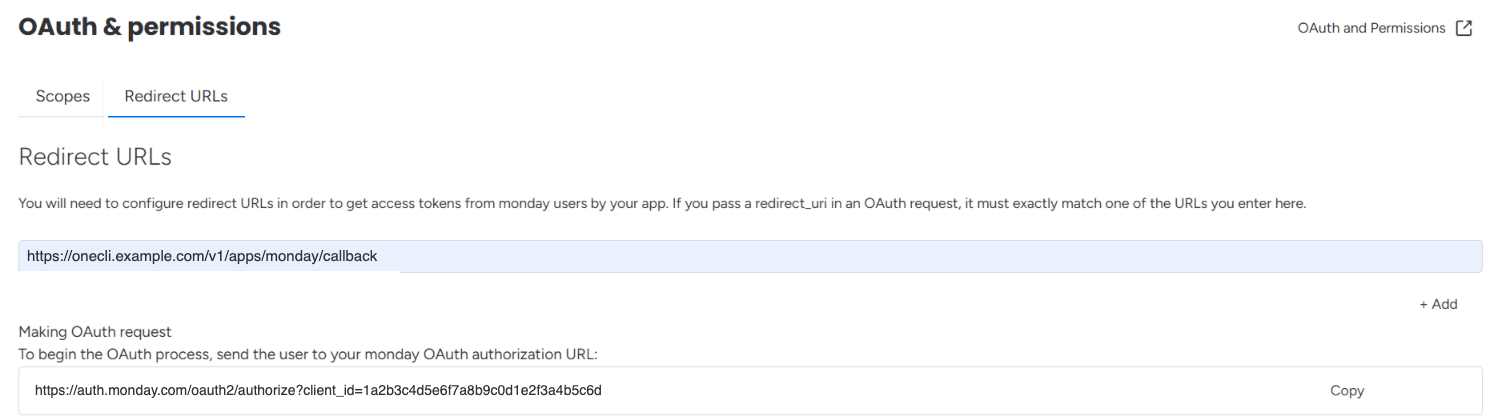
In OneCLI, open Connections > monday.com > Custom credentials and copy the Redirect URI. In monday.com, open OAuth & Permissions > Redirect URLs, add it, and save.
Copy the Redirect URI from Custom credentials in OneCLI.
The Redirect URLs tab with the OneCLI Redirect URI.
4. Connect with your app
Open Basic Information and copy the Client ID and Client Secret. Paste both into Connections > monday.com > Custom credentials, select Save & Connect, and install the app in monday.com.
Access is per agent: grant the connection to each agent that needs it. For finer control, use organization rules: Monday.com uses a GraphQL API (api.monday.com/v2), so path-based rules apply to that endpoint, and conditions match specific operations in the request body.