

Overview
OneCLI injects your OpenAI credentials into requests toapi.openai.com automatically. Agents make standard HTTP requests to the OpenAI API; the gateway adds the Authorization: Bearer header before forwarding.
This lets agents use GPT models, DALL-E, embeddings, and other OpenAI services without ever seeing or handling your credentials directly. For a comparison of supported LLM providers, see LLM Providers.
Auth methods
OneCLI supports two ways to authenticate with OpenAI:Setup: API Key
Use this method if you have an OpenAI API key with pay-per-use billing.1
Get your API key
Go to platform.openai.com/api-keys and create a new secret key. Copy it — you won’t be able to see it again.
2
Add the key in OneCLI
Open the OneCLI dashboard, navigate to Connections > LLMs, and click Add LLM Key. Select OpenAI, make sure the API Key tab is selected, and paste your key.
Setup: Codex (OAuth)
Use this method to route requests through your ChatGPT subscription instead of paying per API call. This uses the same OAuth credentials that OpenAI Codex CLI uses.1
Install Codex CLI
2
Authenticate with device auth
~/.codex/auth.json.If you see “Please contact your workspace admin to enable device code authentication”, your ChatGPT workspace admin needs to turn on device code sign-in for Codex before you can continue.
3
Add the credentials in OneCLI
Open the OneCLI dashboard, navigate to Connections > LLMs, and click Add LLM Key. Select OpenAI and switch to the Codex (OAuth) tab. The dialog shows the two steps: run 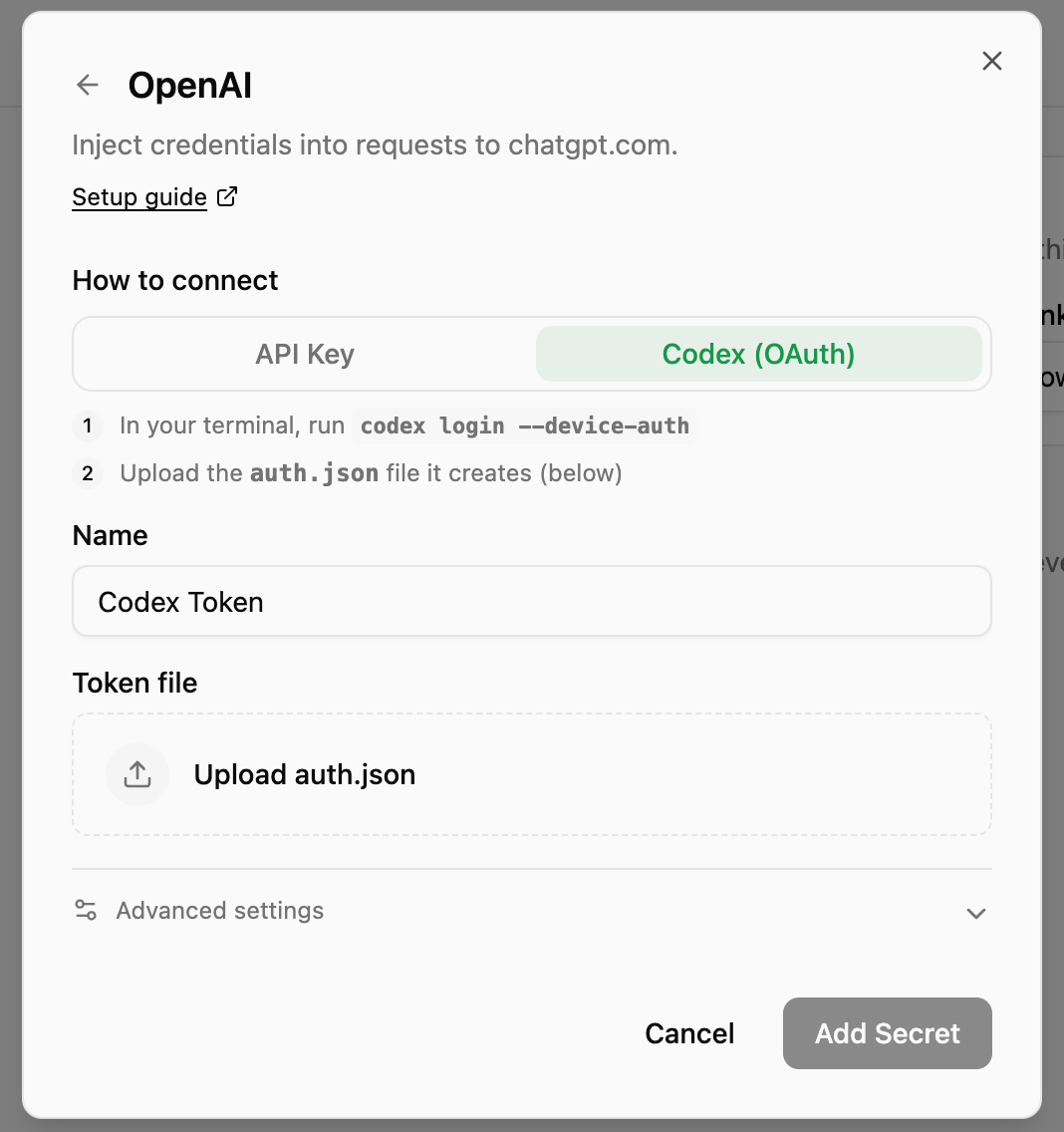
codex login --device-auth (click the command to copy it), then upload the auth.json file it creates (~/.codex/auth.json).The gateway automatically refreshes the access token when it expires using the stored refresh token — no manual re-authentication needed.
How it works
- Your credentials are encrypted and stored by OneCLI (AES-256-GCM at rest)
- When an agent sends a request to
api.openai.com, the gateway intercepts it - The gateway injects an
Authorization: Bearer {token}header - The request is forwarded to OpenAI